![kudurrustone-logo.png]](https://kb.kudurrustone.com/hs-fs/hubfs/kudurrustone-logo.png?height=40&name=kudurrustone-logo.png)
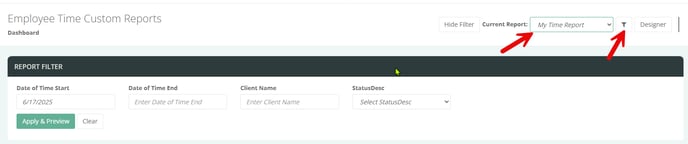
Once you have a custom report created and permissions set you can then adjust the filters that display when that report is selected. From the Custom Time report page available here:
You should select the report you wish to modify filters for. Once selected you can then click the Filters icon that will open the filters allowing you to select and de-select those filters you do or do not need.