![kudurrustone-logo.png]](https://kb.kudurrustone.com/hs-fs/hubfs/kudurrustone-logo.png?height=40&name=kudurrustone-logo.png)
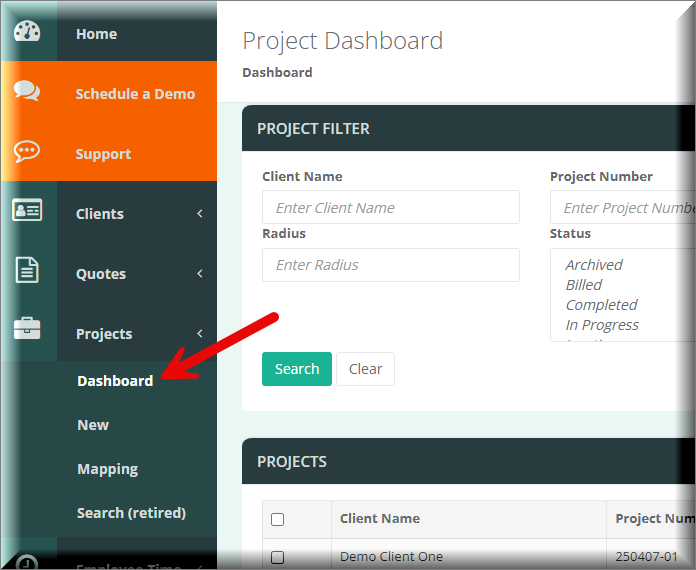
In order to update multiple projects at the same time you should be on the Project Dashboard. You can access the project dashboard from the Projects Menu item as shown below:
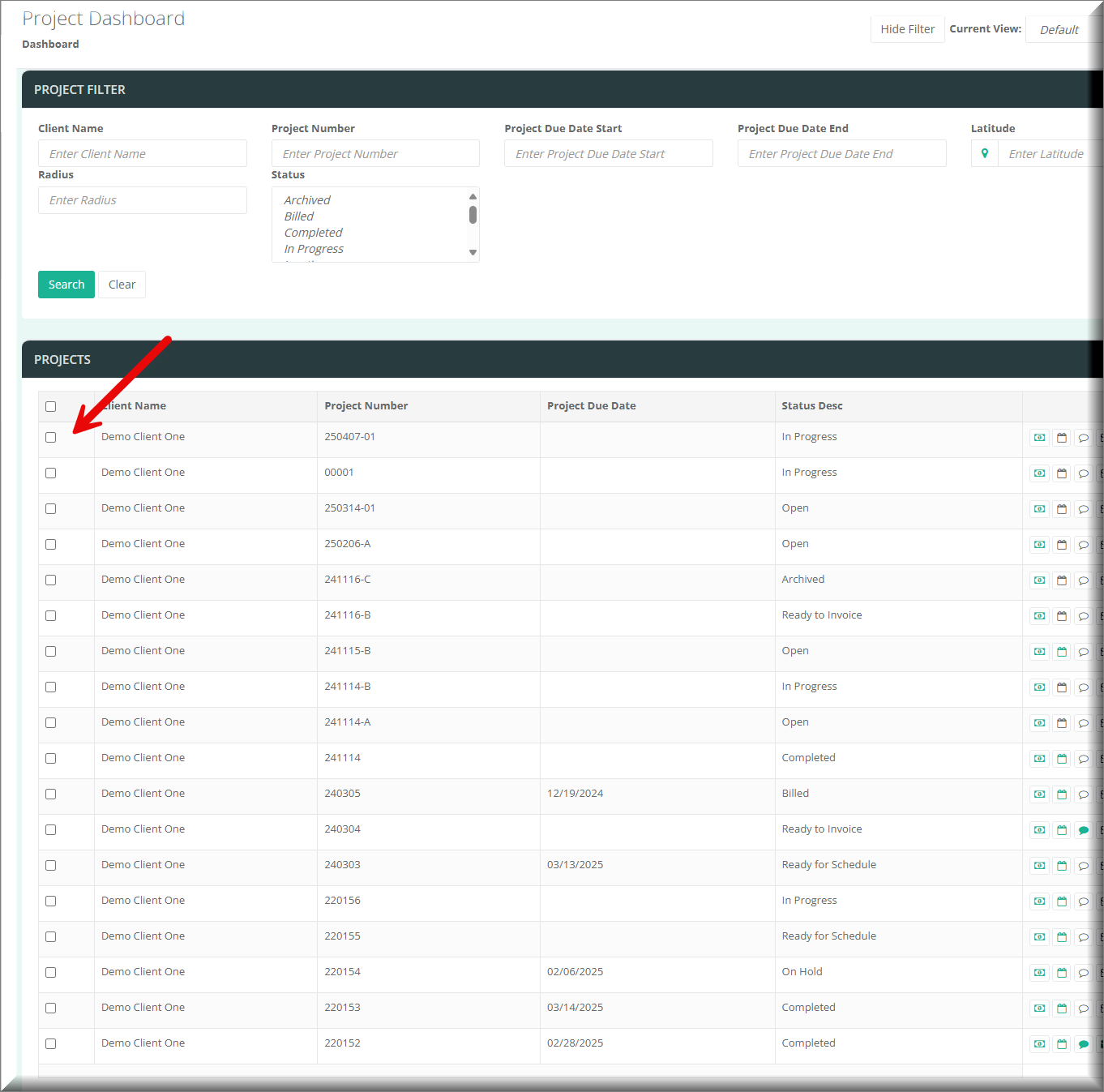
From the project dashboard you can then check the boxes next to this customers you wish to update.
Now that you have your projects selected you can click on the Bulk Update button that should then open a window that allows you to select what property of the projects you wish to update.
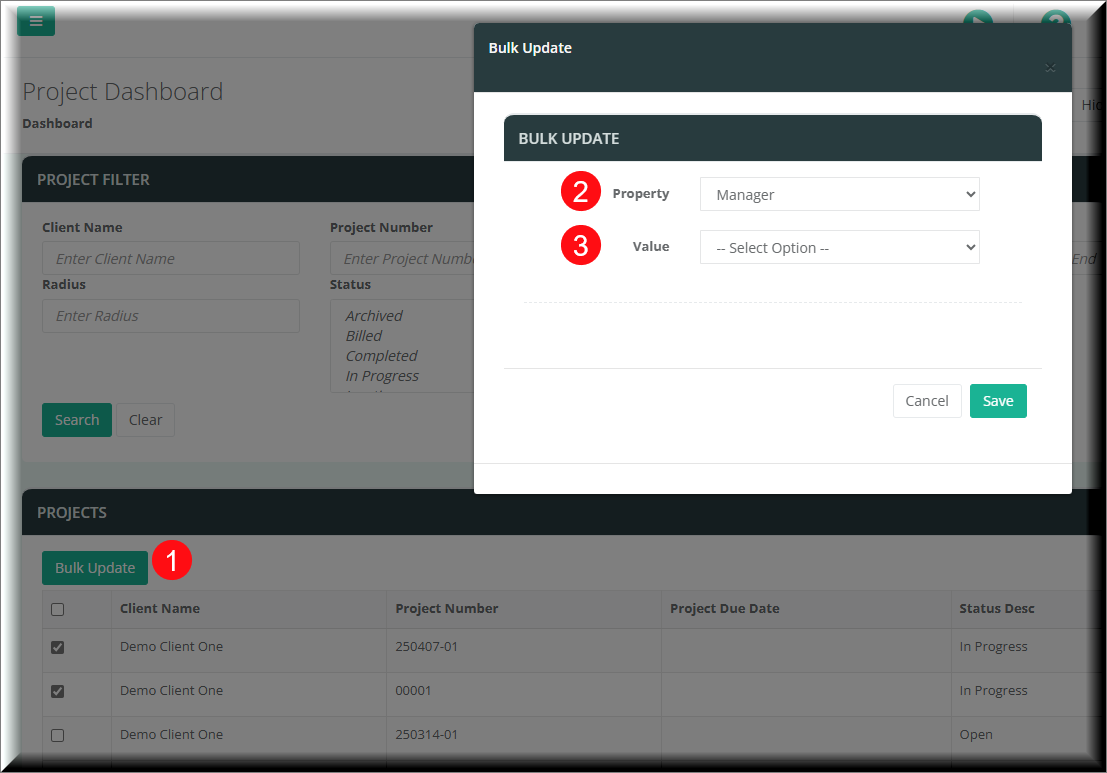
You then enter the value you wish to update to. Click Save and all the selected projects will be updated accordingly.