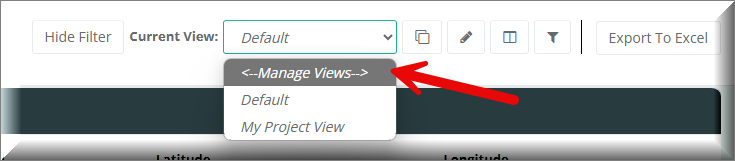
From your Views dropdown you should see "<Manage Views" as shown in the screenshot below:
This should then open something similar to the below screenshot:
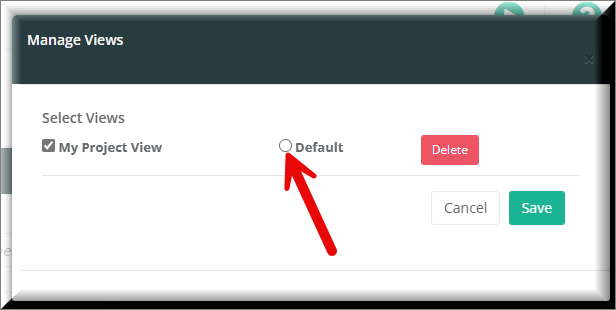
Check the checkbox next to Default of the view you wish to set as default.
![kudurrustone-logo.png]](https://kb.kudurrustone.com/hs-fs/hubfs/kudurrustone-logo.png?height=40&name=kudurrustone-logo.png)
From your Views dropdown you should see "<Manage Views" as shown in the screenshot below:
This should then open something similar to the below screenshot:
Check the checkbox next to Default of the view you wish to set as default.