![kudurrustone-logo.png]](https://kb.kudurrustone.com/hs-fs/hubfs/kudurrustone-logo.png?height=40&name=kudurrustone-logo.png)
Submitting Time for Approval
Step 1:
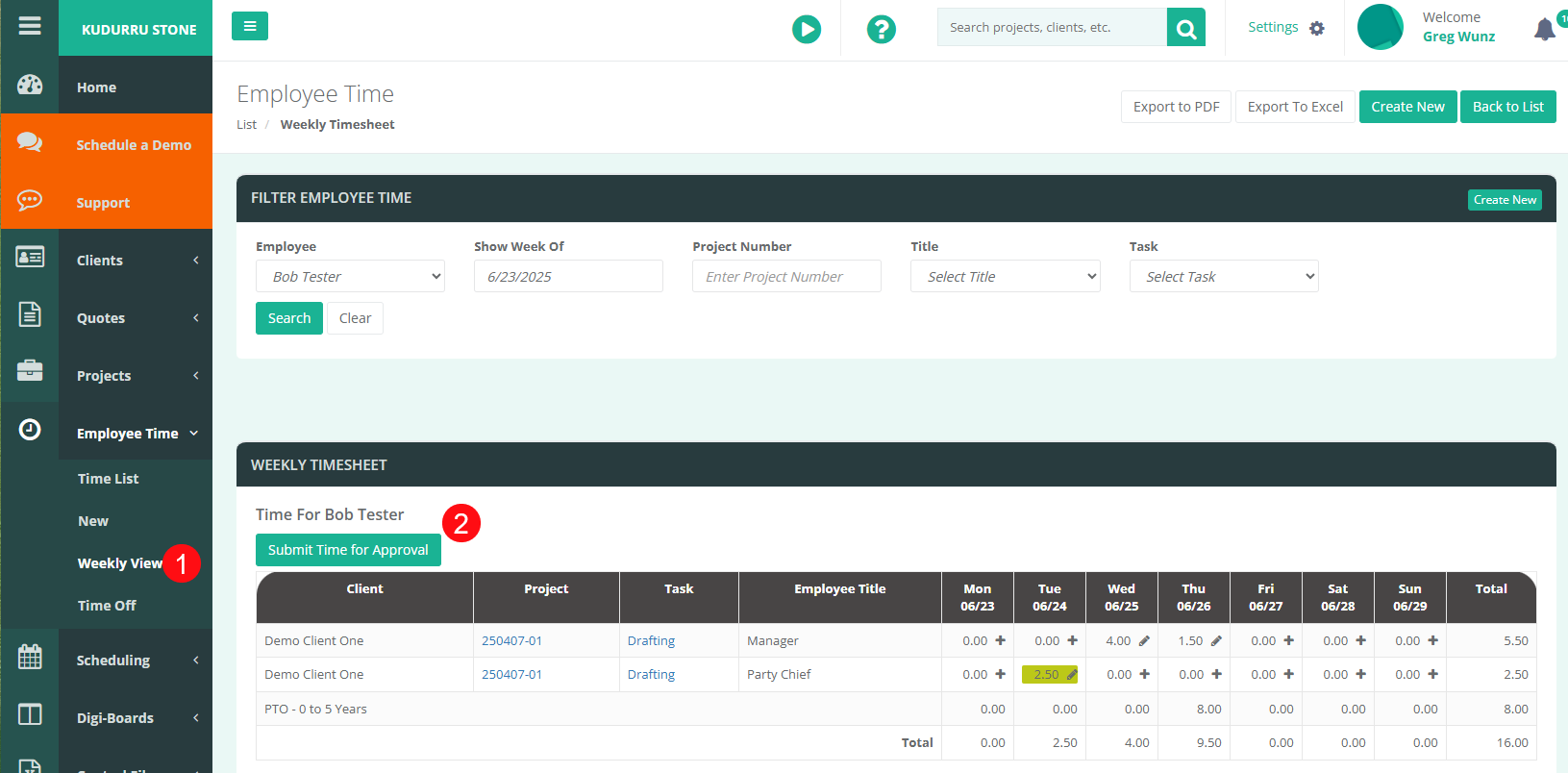
From the Employee Time Weekly view filter for a specific employee.
Step 2:
Once you see that employee's time, you should see a button for "Submit Time for Approval".
Step 3:
Once all time has been reviewed the time can be submitted for approval by clicking the "Submit Time for Approval". The manager of that employee will then receive a notification to approve the submitted time.
Manager Approving Submitted Time
Step 1:
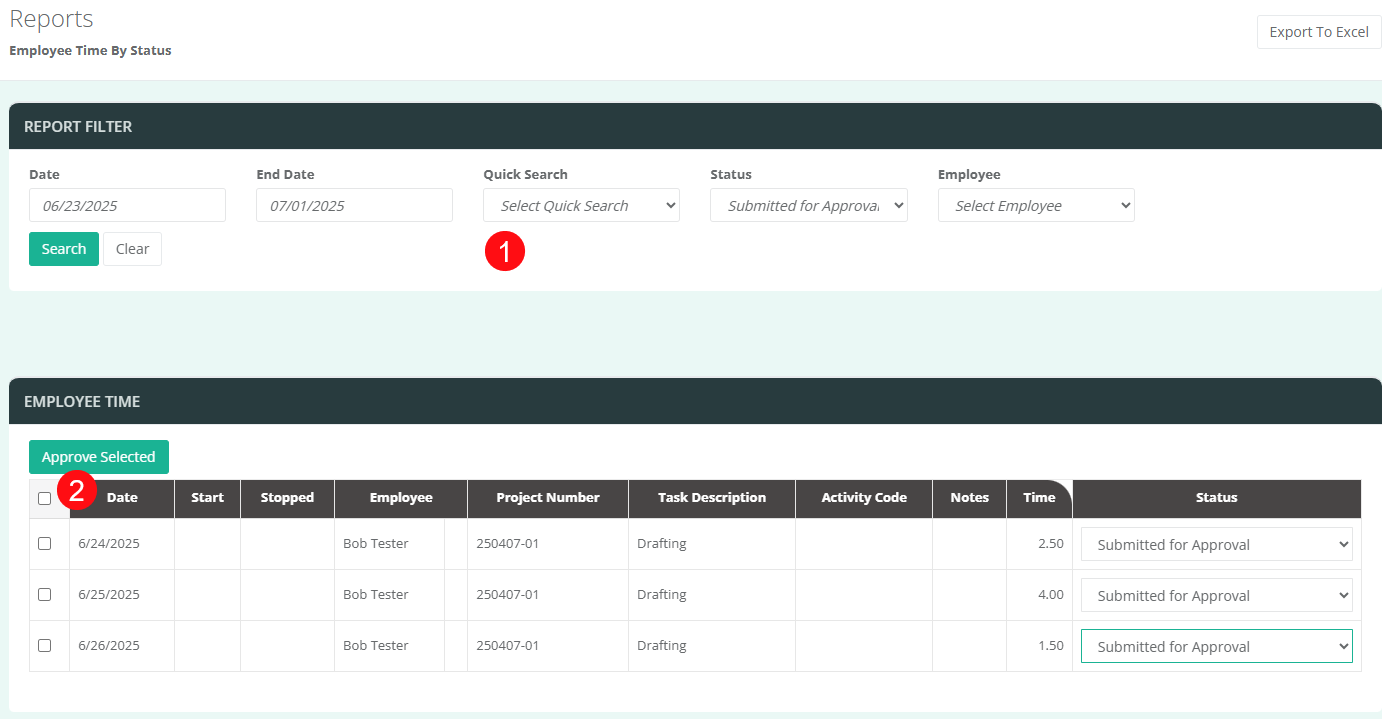
Once time has been submitted for approval, it can then be Approved. In order to approve time, open the Employee Time by Status report.
Step 2:
From the Employee Time by Status report you can then filter for the "Submitted For Approval" and the specific date range as well as the specific employee.
Step 3:
From the displayed time, check the boxes next to those time entries that need to be approved and click the "Approve Selected" button.