![kudurrustone-logo.png]](https://kb.kudurrustone.com/hs-fs/hubfs/kudurrustone-logo.png?height=40&name=kudurrustone-logo.png)
The Core Flow
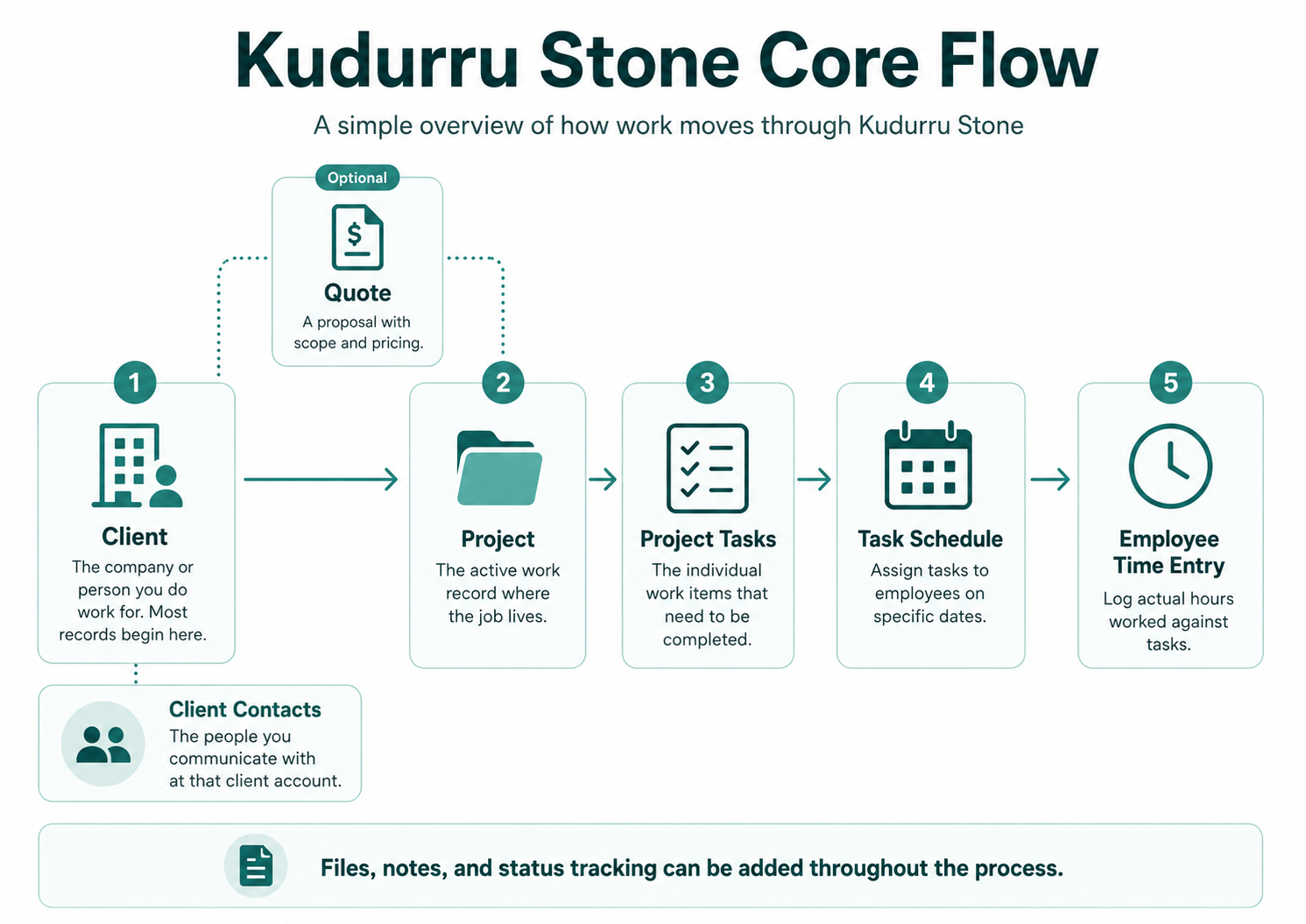
1. Client
The client is the company or individual you do work for. Almost everything in Kudurru Stone is tied to a client. This includes quotes, projects, contacts, and files- all belong to a client. Setting up a client record is the first thing you do in order to setup a project or quote.
Each client can have one or more Contacts — the specific people you communicate with in that organization. Contact are part of the client account. You can have multiple contacts for each client.
See: Adding a Client | Client Contacts | Contact Types
2. Quote (Recommended Starting Point)
Before work begins, the typical path is to create a quote. A quote is a proposal that lays out the scope, line items, and pricing for a job. Quotes can be converted into a project once approved.
Starting with a quote is recommended because it creates a clear record of scope and pricing and allows that structure to carry to carry forward into the project automatically.
That said, you can create a project directly without a quote. This is common for repeat clients or work that comes in without a formal approval process.
See: Creating a Quote | Quote Line Items | Quote Statuses
3. Project
A project is the active work record. It belongs to a client, has a status, and contains everything that happens on the project. This may include tasks, scheduling, time, and files. Most projects in Kudurru Stone start life as a converted quote, but they can also be created from scratch.
See: Creating a Project | Project Types | Project & Task Statuses
4. Project Task
Project Tasks are individual work items inside a project. You would typically have multiple project tasks in each project. These are the specific things that need to get done. Each task can be assigned to employees, given a date, and tracked independently. Tasks are where the work is organized, scheduled and measured.
See: Adding Tasks to a Project | Task Groups | Task List
5. Task Schedule
Scheduling defines who is doing the work and when.
Scheduling designates employees for tasks on defined dates. The Task Scheduler shows what each employee is working on and when, and allows you to schedule and reschedule tasks. This is how field work gets organized day to day.
See: Task Scheduler
6. Employee Time Entry
Time entry is where actual hours are recorded against a task. Employees log the hours they worked, which feeds into project cost tracking and reporting. Time can be entered against a scheduled task or added directly to a task without going through the scheduler.
See: Employee Time Entry
How It All Connects
Typical Flow:
Client > Quote > Project > Tasks > Schedule > Time
A typical project moves through Kudurru Stone like this:
- Create or find the Client
- Build a Quote with scope and pricing
- Convert the approved quote to a Project
- Break the project into Tasks
- Schedule those tasks to employees and dates
- Employees log Time against the tasks as work is completed
At any point you can attach files, add notes, and track status changes.
The system is flexible — you can enter it at any step. For example, you can create a project without a quote or add time directly to a project task. However, following the full flow from the beginning gives you the most complete and accurate record of the project.